-1.png?width=250&height=75&name=Horizontal%20(4)-1.png)
You can effortlessly reset your course progress with just a few clicks. This guide will take you through the process step by step.
To reset an In Progress or Completed course, once you log in to your account, click on the KodeKloud option in the top left corner, go to My Learnings, select In Progress or Completed, and then open the course that you want to reset.
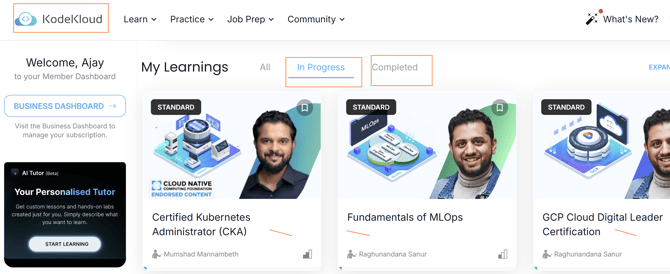
Then, click on Continue Learning to proceed with resetting the course progress.

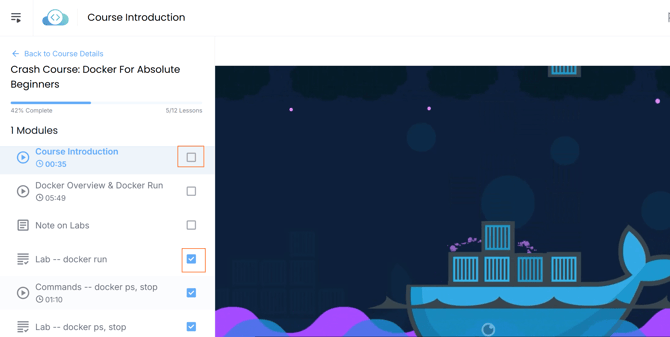
Finally, uncheck the boxes in front of each topic to reset your course progress.
If you have any questions or need help with our subscription plans, pricing, or purchases, please feel free to contact us at support@kodekloud.com. Our support team will get back to you within 24 to 48 hours.